
AINOTE News

Get access to our latest news by signing up for our newsletter.

AINOTE Air 2 Major System Update: NoteOS Officially Rolls Out

AINOTE Air 2 Major System Update: NoteOS Officially Rolls Out

The wait is finally over for AINOTE Air 2 users. AINOTE has officially begun rolling out a significant system update that brings the brand-new NoteOS experience to the device. This is not a routine patch or a minor feature tweak. According to the official announcement, this is a major system upgrade that fundamentally changes the user interface and how key features operate on the Air 2. The update is being pushed in small, staged batches to ensure system stability, so if you haven't received the notification on your device yet, don't worry—more users will be added over the coming days. Here's a comprehensive breakdown of what the NoteOS update brings to your AINOTE Air 2.   What's New in the NoteOS Update 1. A Completely Redesigned System Interface The most visible change is the overhauled user interface. The update touches virtually every corner of the system: Home, Notes, Reading, Calendar, App Center, Settings, and Control Center have all been redesigned from the ground up Navigation has been restructured - major entry points are now organized differently, so some features may be located in new places Visual elements including text, icons, cards, and information hierarchy have been optimized specifically for the Air 2's E Ink display Multi-language layouts have been improved, with better font rendering, text wrapping, and button sizing across all supported system languages The goal is a more intuitive, visually cohesive experience that takes full advantage of the E Ink screen's capabilities. 2. Upgraded Fusion Notes & Handwriting For users who rely on the Air 2 for note-taking, this update delivers substantial improvements to the core writing experience: Unified Workspace The new Fusion Notes workspace brings together handwriting, audio, transcription, translation, and AI content into one seamless environment. Whether you're recording a meeting, writing notes by hand, or reviewing transcribed text, everything lives in a single, unified space. Enhanced Canvas Operations Reduced side-toolbar obstruction for a cleaner writing area Improved zooming, two-finger dragging, page turning, and scrolling Enhanced title editing and recording dialogs Handwriting Editing For the first time, users can now cut, copy, and paste handwriting across different pages and Fusion Notes. This brings handwriting editing much closer to the flexibility of text editing. Smart Pen Optimizations The update improves smart-pen selection, erase detection, and toolbar positioning, with better support for both left-handed and right-handed modes.   3. Recording, Transcription & Translation Upgrades The Air 2's AI-powered recording and transcription capabilities—one of its standout features—receive significant attention in this update: Improved Recording States Better visual feedback for recording start, in-progress, completion, and playback states. Flexible Transcript & Translation Views Users can now choose to view original text, translated text, or a side-by-side comparison - making it easier than ever to follow multi-language meetings and conversations. Seamless Audio Switching Play recordings through the built-in speaker, Type-C headphones, or Bluetooth headphones with smoother continuity. Enhanced Navigation Translation language selection, translation modes, and long-text navigation have all been reorganized for easier access.   What This Means for AINOTE Air 2 Users This update represents a significant step forward for the AINOTE Air 2. The NoteOS experience isn't just a cosmetic refresh—it's a fundamental rethinking of how the device handles note-taking, recording, and AI-powered productivity. For professionals who rely on the Air 2 for meeting transcription and daily note-taking, the improved Fusion Notes workspace and unified workflow will save time and reduce friction. For students and researchers, the enhanced handwriting tools and flexible translation views open up new possibilities for managing complex information. The hardware remains the same—an 8.2-inch E Ink display with a quad-core processor, 4GB RAM, and 32GB storage—but the software now delivers a much more polished and capable experience. How to Get the Update The NoteOS update is being rolled out in staged batches to ensure system stability: Check your device periodically for the update notification Connect to Wi-Fi before downloading—the update requires a stable internet connection Read the release notes carefully before installing—this is a major update that changes how some features work Back up your important notes before proceeding If you haven't received the update yet, rest assured that AINOTE is expanding the push to more users over the next few days.   Frequently Asked Questions 1. Does AINOTE Air 2 require an internet connection for AI features? Yes. AI features, including AI Meeting Minutes, Note Q&A, and online transcription, require an active internet connection. AI features also require account sign-in. 2. Can AINOTE Air 2 transcribe recordings offline? No. AINOTE Air 2 uses online cloud services for audio transcription, so an internet connection is required. 3. Will my notes remain available if I turn off cloud sync? Yes. Turning off cloud sync does not prevent you from accessing or using your locally stored notes. 4. What is Fusion Notes? Fusion Notes brings handwriting, audio recordings, transcription, translation, and AI-generated content together in one workspace, making it easier to manage and review your notes. 5. Can I convert scanned documents into editable notes? Yes. AINOTE Air 2 supports OCR, allowing you to recognize text in scanned documents and convert it into editable notes or PDFs. 6. Can I export my notes and AI-generated content? Yes. You can select different content, including original text, meeting minutes, AI results, and OCR-cleaned content, and generate PDF or TXT files. 7. Which languages does AINOTE Air 2 support? AINOTE Air 2 supports 14 system languages, including English, French, German, Spanish, Japanese, Korean, and more. 8. Can I use Bluetooth headphones to listen to recordings? Yes. You can play recordings through the built-in speaker, Type-C headphones, or Bluetooth headphones. 9. Is the Note OS update available for all AINOTE devices? The major Note OS Beta update described in this announcement was specifically rolled out for AINOTE Air 2. Update availability for other models should be checked separately. 10. What should I do if I encounter a problem after a system update? You can contact AINOTE Customer Support through the official support channels and provide details about the issue, including the affected feature and the steps that caused it.   Share Your Feedback AINOTE is actively seeking user feedback on this major update. You can share your thoughts and report any issues through the r/AINOTE community on Reddit User testing and real-world feedback are crucial to making this update rock-solid, so your input matters.   Final Thoughts The NoteOS update marks a new chapter for the AINOTE Air 2. With a redesigned interface, unified Fusion Notes workspace, enhanced handwriting tools, and improved transcription capabilities, the device is now more capable than ever as an AI-powered productivity tool. If you're an AINOTE Air 2 user, this is an update worth installing. Just make sure to read the release notes, back up your data, and give yourself some time to get familiar with the new interface and navigation. Have you received the NoteOS update on your AINOTE Air 2? Join the official Reddit community to share your experience with other users. https://www.reddit.com/r/iFLYTEKAINOTE/

AINOTE 2AINOTE 2 Software Update: Smarter AI, Deeper Insights from Every Recording

AINOTE 2 Software Update: Smarter AI, Deeper Insights from Every Recording

The latest AINOTE 2 software update brings smarter AI to your notes, with transcript-based Q&A and automatic meeting minutes. Expanded language support, enhanced PDF reading, Word export, and direct cloud sharing make it easier to turn recordings and handwritten notes into actionable insights. 1. Notes & AI — Closer to Your Content 1.1 AIAide is now closer to your notes The AIAide entry point has been updated: a refreshed AI icon makes the assistant easier to identify. More importantly, AIAide now uses the recording transcript of your current note as a knowledge base you can ask questions about. Open AIAide from within a note that contains a recording and ask: "Summarize the key decisions from this meeting." / "Where in this lecture did the speaker discuss X?" The meeting minutes entry has been reorganized as a dedicated tab placed at the top of the note page — distinct from the handwritten note content and easy to reach without navigating into the menu. What this means for you: AI is no longer a separate tool you switch to. It works on the content you already have in front of you — making your notes searchable, summarizable, and re-usable as a knowledge base. 1.2 Automatic meeting minutes When a recording stops, AINOTE 2 now automatically generates structured meeting minutes from the recording transcript — topics, decisions, action items, and follow-ups. Within the same minutes tab, you can switch between the original recording, its transcript, and the AI-generated minutes. What this means for you: The work that used to happen after the meeting — listening back, identifying decisions, drafting follow-ups — happens automatically. You leave the room with the meeting record already drafted. 1.3 Note interface refinements The menu bar has been moved to the side and now supports left-right switching, freeing vertical space for content. Within a note, you can create titles directly from the top region using handwriting, and a shortcut for title creation is available throughout the note flow. 1.4 Writing and recognition English and Japanese offline OCR accuracy improved. 2. Broader Language Coverage 2.1 Online transcription and translation Online transcription now supports Dutch and Portuguese, bringing the total to 18 languages. Translation now supports Dutch, Portuguese, and Thai, bringing the total to 14 language pairs. 2.2 Translation in side-by-side comparison view When recording with real-time translation enabled, the spoken-language transcript and its translated output now display side by side in the same view, visible in parallel as the recording unfolds. 2.3 New system languages AINOTE 2 now ships eight additional system (UI) languages: Thai, Malay. 3. Reading Capabilities Tappable links inside PDFs — citations, internal cross-references, and URLs in PDF documents can now be opened directly. Text selection in image-based (scanned) PDFs — scanned case files, archived contracts, and image-only documents now support text selection, copy, lookup, and translation. Two-page landscape PDF reading — for academic journals, large-format documents, and content where context across facing pages matters. Landscape annotation for non-PDF documents — EPUB, MOBI, AWZ3, not only PDFs. 4. Note Export and Sharing 4.1 Word export Notes can now be exported as Word (.docx) documents, in addition to PDF. The TXT export option has been removed. 4.2 Third-party cloud sharing Notes can be shared directly to third-party cloud services — OneDrive, Google Drive, and Dropbox. 5. Core Experience Optimizations 5.1 Calendar sync refinements Recurring event details from both Google and Outlook calendars are now displayed correctly. Hidden folders in Google Calendar are now recognized — folders the user has hidden in Google will no longer appear in AINOTE 2 sync. Outlook event details are now displayed in full. 5.2 Direct access to customer support The Help screen now includes a WhatsApp Business QR code and an after-sales request QR code. 5.3 In-product user guide A user guide has been added, with entry points on the home page and in Settings. 5.4 Meeting minutes model options For Pro members, meeting minutes can be generated using GPT-5.5 or Gemini 3.5 Flash as alternative models. Turn Every Recording into Your Next Step Spend less time reviewing and more time moving forward. With transcript-based Q&A, automatic meeting minutes, and easier sharing, AINOTE 2 helps you turn conversations into clear, actionable insights. Already using AINOTE 2? Update your device to explore what’s new. New to AINOTE? Discover a smarter way to capture, organize, and act on your ideas. Explore AINOTE 2

Jun 22, 2026 AINOTEBRAND 0 comments
Release R_2.2.8: Upgrades to note-taking, calendar sync, and reading

Release R_2.2.8: Upgrades to note-taking, calendar sync, and reading

AINOTE 2 Firmware R_2.2.8 brings smarter AI-powered meeting minutes, improved note-taking, expanded language support, enhanced PDF reading, and more flexible Word export and cloud sharing. Discover how this update makes meetings, multilingual workflows, document reading, and everyday productivity more seamless. What’s New in this version 1. Notes & Handwriting: More Flexible Ways to Capture and Organize Ideas A More Convenient Multi-Tab Note Layout The note interface has been redesigned with a new multi-tab layout and a side-mounted menu bar that supports left-to-right switching. Whether you're working with meeting notes, project materials, or personal notes, the updated layout makes it easier to switch between different notes. The side-mounted menu also provides a more convenient way to navigate your workspace while writing. Ask Questions About Your Notes with AIAide AIAide now features an upgraded icon and a new note-based Q&A function. The summary entry point has also been moved to a dedicated tab. When revisiting a note, you can ask AIAide questions about its content instead of relying entirely on manual review. The dedicated summary tab also provides a clearer entry point for accessing AI-generated summaries. Five New Pen Styles for More Expressive Writing This update introduces five new pen styles: Needle-tip pen Calligraphy fountain pen Watercolor pen Marker pen Vintage ballpoint pen Each style offers a different writing and marking experience. Use the needle-tip pen for detailed writing, the marker pen to highlight important points, or explore the watercolor and calligraphy styles for a different visual expression. Whether you're taking everyday notes, annotating documents, or organizing ideas, you now have more pen styles to choose from. More Flexible Note Editing and Improved Handwriting Recognition Notes now support cut, copy, and paste operations, along with the new Note Zoom Lock feature. The Chinese handwriting recognition engine has also been upgraded to its latest version. In addition, stylus side-button operations have been optimized to trigger Smart Pen functions more reliably. Together, these improvements provide more flexibility when editing notes and enhance the handwriting experience, particularly for Chinese handwriting input. Offline Transcription and Expanded Language Support Offline transcription is now available for recordings in English, Chinese, Japanese, and Korean. Italian language support has also been added. For users who record meetings, lectures, or other spoken content, offline transcription provides a way to convert supported recordings into text without requiring an internet connection. Export Notes as Word Documents and Share to Cloud Drives Notes can now be exported as Word documents, replacing the previous TXT export option. You can also share notes to third-party cloud drives. Whether you need to continue editing your notes in a document or share files through a cloud drive, these new options make it easier to move your notes beyond AINOTE. 2. Calendar: A More Complete Scheduling Experience Improved Google Calendar and Outlook Synchronization This update enhances synchronization with Google Calendar and Outlook, adding support for full synchronization and detailed information for recurring events. For users who manage meetings, appointments, and recurring schedules through their calendars, these improvements make it easier to view and manage event information. AINOTE also now supports retrieving hidden-folder status from Google Calendar, helping the calendar display better reflect folder settings in your Google Calendar account. A Refined Schedule and Task Interface The schedule and task interface has been updated with improved line spacing and an optimized task completion process. The adjusted spacing makes schedule and task information easier to distinguish, while the refined completion process improves everyday task management. Improved Default Reminders and Note Associations This update introduces default reminder time logic and optimizes note association. These changes further refine how reminders are configured and how notes are associated with calendar events, bringing improvements to the overall calendar experience. 3. Reading & PDF: A More Flexible Document Reading Experience Open Links Directly from PDFs You can now open links directly within PDF documents. When reading documents that contain references, external resources, or linked content, you can access those links directly without having to locate them separately. After jumping to a linked location from a reading note, you can also return to your previous reading page, making it easier to continue where you left off. Two-Page Landscape Reading and Handwriting Annotations This update adds two-page landscape reading for PDFs, along with direct handwriting annotation in landscape mode. For PDFs containing charts, wide layouts, or content that benefits from viewing two pages side by side, the new reading mode offers an alternative to the traditional single-page layout. You can also write and annotate directly while reading in landscape mode, without needing to switch back to portrait orientation. Text Selection in Image-Based PDFs Text selection is now supported in image-based PDFs. This adds another way to interact with PDF documents that present content as images, such as scanned materials. The update also optimizes offline PDF reflow, further improving the PDF reading experience. More Flexible Touch Gesture Settings The previous touch-disable switch has been replaced with multiple gesture switches. Instead of relying on a single setting to disable touch input, users now have more granular controls over gesture settings and can adjust them according to their preferences. How to Participate When the update arrives on your device, navigate to Settings > Check for Updates on your AINOTE 2 to begin. Frequently Asked Questions 1. Will AINOTE Air 2 receive the same software update? AINOTE confirmed in the community discussion that an update for AINOTE Air 2 was on its way. However, feature availability and rollout timing may differ between devices. Please refer to official update announcements for the latest compatibility information. 2. Does sharing notes to Google Drive, OneDrive, or Dropbox mean they automatically sync? Not necessarily. The R_2.2.8 update allows users to share notes directly to OneDrive, Google Drive, and Dropbox. This is different from continuous, two-way cloud synchronization. Full automatic cloud sync was raised as a feature request in the community, but no confirmed roadmap was provided in the discussion. 3. Can I edit AI-generated meeting minutes? Yes. You can edit automatically generated meeting minutes by entering text editing mode first. This allows you to make changes to the generated content instead of treating the AI summary as read-only. 4. When will the R_2.2.8 update be available in my region? AINOTE 2 R_2.2.8 is being distributed through a staged rollout. This means the update may reach different regions and devices at different times. If it hasn't appeared on your device yet, check Settings for software updates periodically. 5. Does AINOTE 2 support an infinite canvas for organizing notes? Infinite canvas functionality was requested by users in the community. The AINOTE team acknowledged the suggestion and confirmed that its technical feasibility would be evaluated. It was not listed as a feature in the R_2.2.8 release. 6. Can I export my notes in Markdown format? Markdown export was suggested by a community member. The AINOTE team confirmed that the request had been forwarded to its R&D team, but no release timeline was available at the time of the discussion. The confirmed R_2.2.8 export options include Word (.docx) and PDF. Ready for a Smarter Note-Taking Experience? Explore AINOTE 2 and discover how AI-powered notes, smarter meeting summaries, and seamless document workflows can make your everyday work more productive. Discover AINOTE 2 → Join the Discussion on Reddit How does R_2.2.8 fit into your daily workflow? From offline transcription and new pen styles to landscape PDF annotations, there’s plenty to explore in this update. Visit the Reddit discussion to see what other AINOTE users are saying and add your own perspective. Whether you’ve tried the new features or have ideas for future improvements, share what matters most to your note-taking experience. Read the R_2.2.8 discussion on Reddit →

Jun 12, 2026 AINOTEBRAND 0 comments
AINOTE 2 Wins iF Design Award 2026

AINOTE 2 Wins iF Design Award 2026

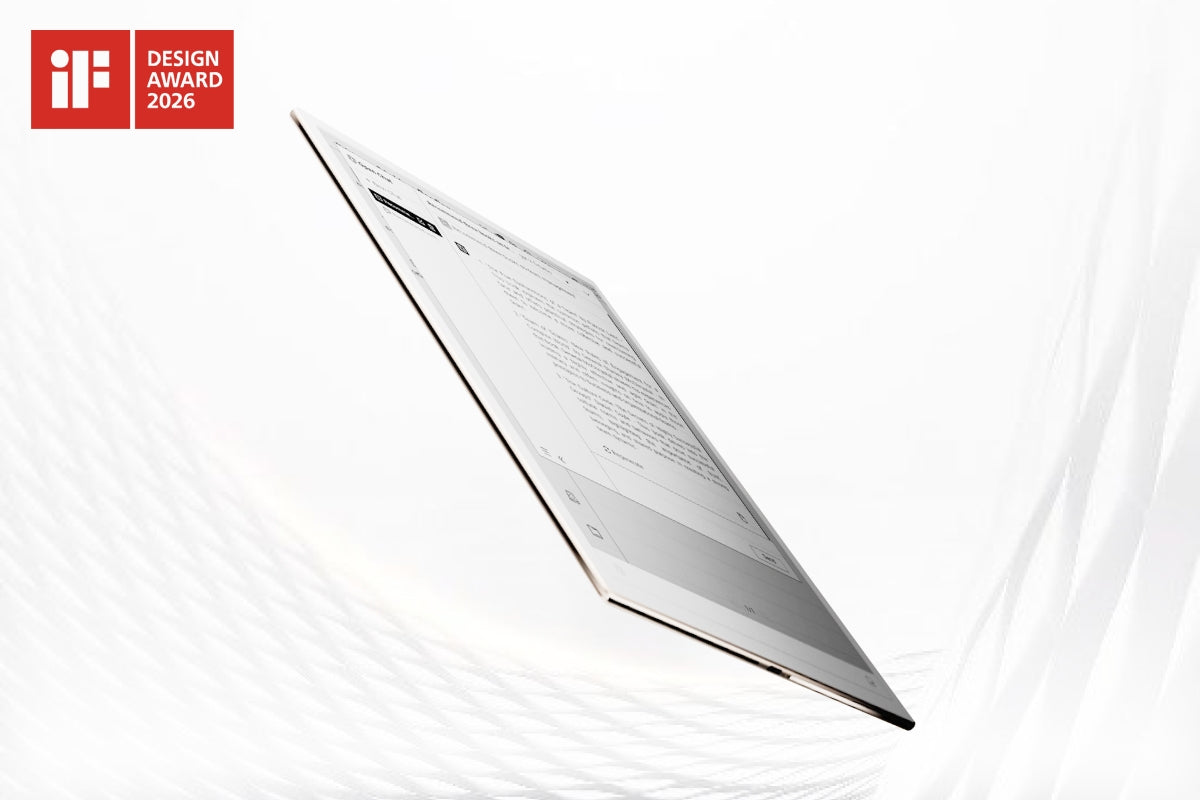
Recognized for its thoughtful design, AINOTE 2 brings together AI-powered productivity and a more intuitive way to work. We’re proud to announce that AINOTE 2 has received the iF DESIGN AWARD 2026, one of the world’s recognized design awards. This recognition celebrates our continued exploration of how thoughtful product design and intelligent technology can come together to create a more natural, focused, and connected work experience. For us, this achievement represents more than a design milestone. It reflects the ideas, engineering, and collaboration behind AINOTE 2—and our ongoing commitment to building technology around the way people think, create, and work. Design That Goes Beyond Appearance Good design is not simply about how a product looks. It is about how naturally people can use it, how effectively it supports their needs, and how seamlessly it fits into everyday life. AINOTE 2 was designed around this belief. Its 4.2 mm ultra-thin profile and 10.65-inch E-Ink display bring together portability and a paper-like reading and writing experience. Whether capturing thoughts by hand, reviewing documents, or working through ideas, users can stay close to the simplicity of pen and paper while benefiting from the flexibility of a digital workspace. Every design decision serves a broader purpose: making technology feel less like another tool to manage and more like a natural extension of the way people work. Bringing AI and Note-Taking Together A productive workflow involves more than capturing information. It also means being able to revisit, understand, and act on what has been recorded. AINOTE 2 brings AI capabilities directly into the note-taking experience. Its voice transcription and translation features help users work across languages, while AI-generated meeting summaries make it easier to review conversations and identify key information. With GPT-5-powered interactions, users can also explore ideas, retrieve information, and work with their content in a more conversational way. Alongside these intelligent capabilities, AINOTE 2 preserves the familiar experience of natural handwriting. It supports handwriting-to-text conversion in 133 languages, helping bridge the gap between handwritten thoughts and digital information. By bringing writing, recording, reading, and AI assistance together in one device, AINOTE 2 is designed to help users move from capturing ideas to making better use of them. Designed Around Real Everyday Needs The way people work rarely follows a single pattern. A meeting may lead to a new idea; a document may raise questions; a handwritten note may become the starting point for a larger project. We believe the best technology should adapt to these moments rather than interrupt them. That is why AINOTE 2 brings together features that support different stages of the working process—from handwritten notes and document annotation to voice transcription, AI summaries, and information management. The goal is not to add more technology for its own sake. It is to reduce friction between the moments when people capture information, make sense of it, and decide what to do next. A Recognition That Inspires Us to Keep Improving The iF DESIGN AWARD evaluates entries across five dimensions: Idea, Form, Function, Differentiation, and Sustainability. These criteria reflect a broad understanding of design—not only how a product looks, but also how relevant, usable, distinctive, and responsible it is. For our team, this perspective reinforces an important belief: meaningful innovation begins with understanding people and the challenges they face. The feedback, ideas, and experiences shared by the AINOTE community continue to shape how we think about our products. Every conversation helps us identify opportunities to improve and reminds us that good design is ultimately about the people who use it. Looking Ahead Winning the iF DESIGN AWARD 2026 is an important milestone for AINOTE 2, but it is also motivation to keep moving forward. We’ll continue exploring how AI and thoughtful design can work together to make everyday tasks feel more natural—from capturing ideas and organizing information to creating a more connected workflow. Thank you to everyone who has been part of the AINOTE journey. We look forward to building what comes next, together. Discover AINOTE 2 and experience a more thoughtful way to work.

Feb 26, 2026 AINOTEBRAND 0 comments
Meet the world’s thinnest E-Ink tablet: AINOTE 2

Meet the world’s thinnest E-Ink tablet: AINOTE 2

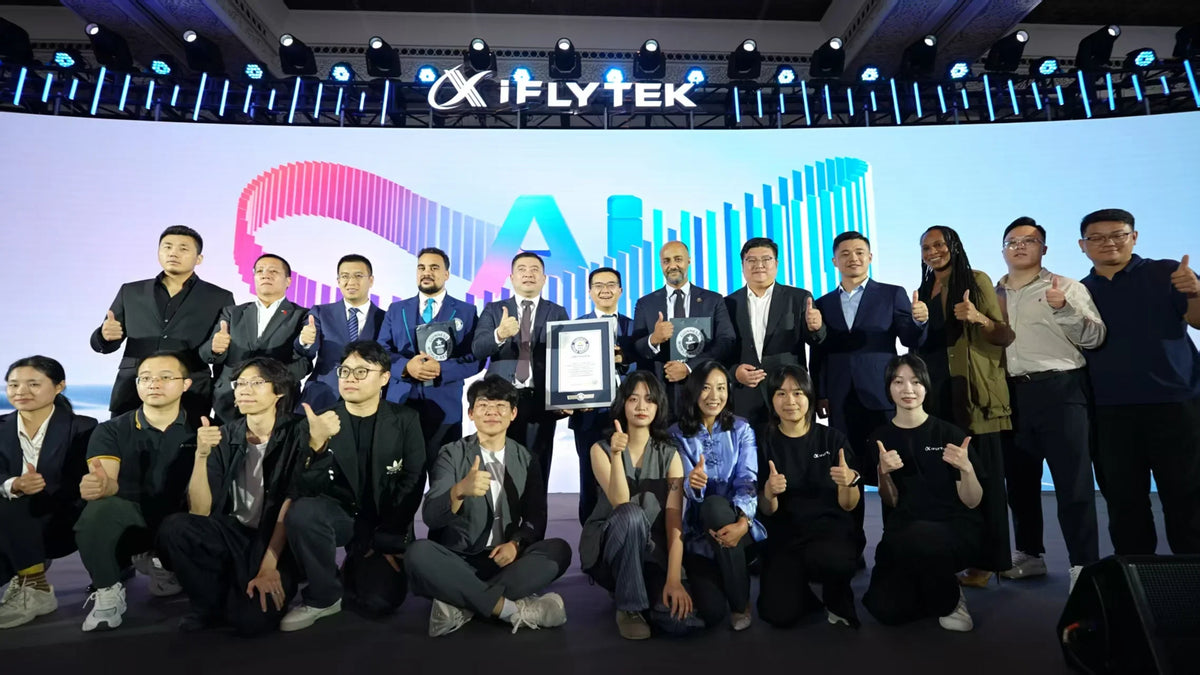
A remarkable engineering achievement, AINOTE 2 redefines what's possible in ultra-thin E-Ink tablet design. We’re proud to announce that AINOTE 2 has been officially recognized by Guinness World Records™ as the world's thinnest E-Ink tablet. For our team, this achievement represents more than a record-breaking measurement. It reflects a commitment to thoughtful engineering, careful material selection, and the belief that technology should fit naturally into people's lives. Every fraction of a millimeter matters when the goal is to create a device that feels lighter, more comfortable, and easier to carry throughout the day. Breaking the Record Through Thoughtful Engineering Making a device thinner is not simply a matter of removing material. It requires rethinking how every component fits together while maintaining the structural integrity, functionality, and everyday usability of the product. From component arrangement and material selection to structural design and manufacturing precision, achieving an ultra-thin profile demands attention to countless details. With AINOTE 2, our engineering team worked through these challenges with one clear objective: to create a remarkably slim device without losing sight of what makes a great digital note-taking experience. The Guinness World Records™ recognition marks an important milestone in that journey. Thin by Design, Made for Everyday Work A thinner device is not just about appearance. It can change how naturally technology fits into everyday routines. AINOTE 2 brings together an ultra-thin 4.2 mm profile and a 10.65-inch E-Ink display, creating a spacious digital workspace in a remarkably slim form. Whether you're heading to a meeting, traveling between appointments, reading documents, or capturing a passing idea, its lightweight design makes it easier to keep your thoughts within reach. Combined with natural handwriting, AI-powered note-taking, and reading capabilities, AINOTE 2 brings together portability and productivity in one dedicated device. The goal is simple: technology that supports your workflow without adding unnecessary weight. The Engineering Behind Every Millimeter Behind this record is a team that paid attention to details most people may never notice. Achieving an ultra-thin profile involves balancing component placement, material properties, structural requirements, and the practical demands of daily use. Each decision must contribute to the overall experience while working within increasingly limited physical space. This achievement reflects the dedication of our engineering team, whose persistence and attention to detail helped turn an ambitious design goal into a finished product. For us, innovation is often found not in adding more, but in finding smarter ways to make every part work together. A Milestone Made Possible by Our Community Every product evolves through the people who use it. The feedback, ideas, and experiences shared by our AINOTE community continue to inspire us to rethink how our devices can become more useful, more intuitive, and more closely connected to everyday work. This recognition is a proud moment for our team, but it also belongs to everyone who has supported the AINOTE journey. Thank you for helping us keep moving forward. Want to see how it performs in real-world use? In this detailed AINOTE 2 review video, creators take a closer look at its ultra-slim build, smooth handwriting experience, and intelligent AI features. Watch below to explore how it combines true portability with everyday productivity: Looking Ahead: Thinking Lighter Being recognized by Guinness World Records™ as the world's thinnest E-Ink tablet is an important milestone, but it is not the end of our journey. We'll continue exploring how thoughtful engineering, intelligent technology, and user-centered design can come together to create better everyday experiences. Because sometimes, making technology better means making it feel like less. Discover AINOTE 2 and experience a lighter way to capture ideas, stay organized, and work.

Dec 3, 2025 AINOTEBRAND 0 comments