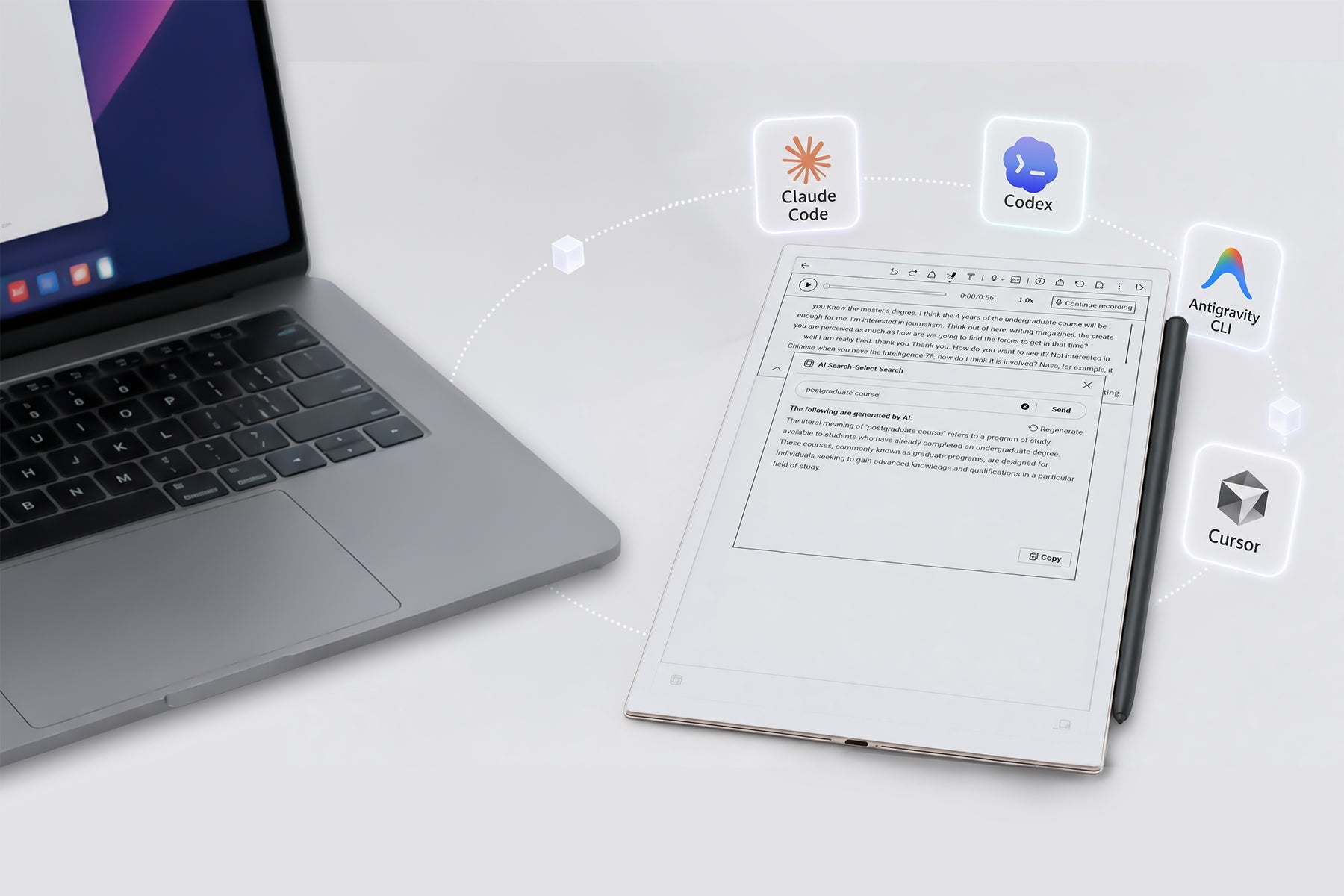
AINOTE 2 August 2026 Update Is Now Rolling Out
We're excited to announce that the August 2026 firmware update for AINOTE 2 is officially rolling out to all devices.
This release represents one of our most substantial updates to date, delivering a wide range of new features and improvements based directly on your feedback. From note-taking and calendar management to reading experience and AI ecosystem integration—here's everything you need to know about what's new on your AINOTE 2.
📌 Also New for AINOTE 2 Users: This update introduces AINOTE skill, a powerful new feature that connects your notes and calendar directly to AI Agents like Claude Code and Codex.
1. Note-Taking & Creation
Toolbar Optimizations
- Continuous Pen Thickness: Smooth, continuous adjustments for pen thickness across Notes, PDFs, e-books, and Office documents on your AINOTE 2
- Flexible Floating Toolbar: Collapses into a sleek floating widget (pen, text, recording) that can be moved freely along the screen edges
- Top/Bottom Tab Bar: Adjust the tab bar between the top and bottom of the screen for a customized layout
PDF Direct Import
Insert PDFs directly into your active note on AINOTE 2 unencrypted. Once inserted, you can use all native note editing and handwriting features on the PDF seamlessly.
Page & Bookmark Management
- Multi-Select Pages: Cut, copy, paste, hide, or delete pages. Copy pages to the clipboard and paste them into other notes
- Categorized Bookmarks: View bookmarks sorted by Headings, Tasks, and Stars, with one-tap jumps to exact locations
Audio, Transcription & AI Summaries
- Background Recording: Added a toggle to continue recording when the folio cover is closed (ON by default)
- Delete Audio Only: Delete audio files independently to save space, with the ability to insert the transcript into the note body first
- More AI Templates: Expanded templates for meetings, lectures, videos, personal memos, and more
- Broader Languages: Expanded translation language picker
Sharing & Exporting
- Added TXT format for sharing and exporting from your AINOTE 2
- Both MP3 and TXT now support complete offline export
2. Calendar & Tasks
- Custom Recurrence: Tailor recurring patterns for both schedules and tasks
- Smart Lockscreen Widget: Displays today's schedule by default. When today has no all-day events, all schedules have ended, and all tasks are done, it automatically switches to show tomorrow's schedule (and updates the header to "Tomorrow's Schedule")
3. Reading Experience on AINOTE 2
- Non-PDF Display Modes: Switch between General, Custom (per-book), and Classic Literature modes
- Layout Templates: Customize typography for an individual book and save it as a reusable template
4. AINOTE Agent Skill
- AINOTE 2 as your Capture Hub: Your AINOTE 2 serves as your primary mobile input tool. Seamlessly bridge your notes, raw ideas, and documents with mainstream AI platforms and dev environments (such as Codex, Claude Code, and more) for deep processing
- Bring Your Own API Key: Plug in your personal LLM API keys (e.g., OpenAI) to build custom automated workflows tailored to your exact productivity needs
💡 Note: The AINOTE skill feature requires the AINOTE Desktop App to configure. The AINOTE 2 device captures and syncs your notes, while the desktop app handles the API integration.
5. System Tweaks & Handy Features on AINOTE 2
- Screenshot Annotations: Draw directly on screenshots with customizable pens, thickness, and erasers. Supports canvas zooming, saving, and sharing
- AINOTE Assistant & Support: Access the AI Assistant on the home screen/settings for quick product Q&A, view estimated feedback processing times, or copy regional support emails with one tap
- Wallpapers: Added full-screen signature wallpapers and clean, logo-free cloud wallpapers for your AINOTE 2
- Third-Party Apps: Supports landscape mode, bold text, custom display settings, and long-pressing to pin apps to the top
- Login Upgrade: Log in quickly using email verification codes
- Multilingual User Guide: Added a native Japanese user guide (default for Japanese systems) with easy switching between English and Japanese
- Top Physical Button Customization: Customize the physical top button on your AINOTE 2 for quick actions (Quick AI Q&A, Instant Screenshot, Global Refresh, Go Home, New Note, or Back)
How to Update Your AINOTE 2
- Auto-Update: When you open your AINOTE 2, the system will automatically detect the new firmware version and prompt you to update. Simply follow the on-screen instructions.
- Manual Check: You can also manually check for updates in Settings → System → Software Update on your AINOTE 2 device.
What This Means for AINOTE 2 Users
The August 2026 update marks a significant step forward for the AINOTE 2. From PDF direct import and floating toolbar to AINOTE agent skill support and offline TXT export, we're delivering on our promise to build a unified productivity system where your notes, calendar, and AI tools work together seamlessly on your AINOTE 2.
And this is just the beginning. The features in this update lay the groundwork for even more powerful capabilities coming in future releases.
Have you received the August update on your AINOTE 2 yet? Join the conversation in our Official Reddit Community and share your experience in the comments.